
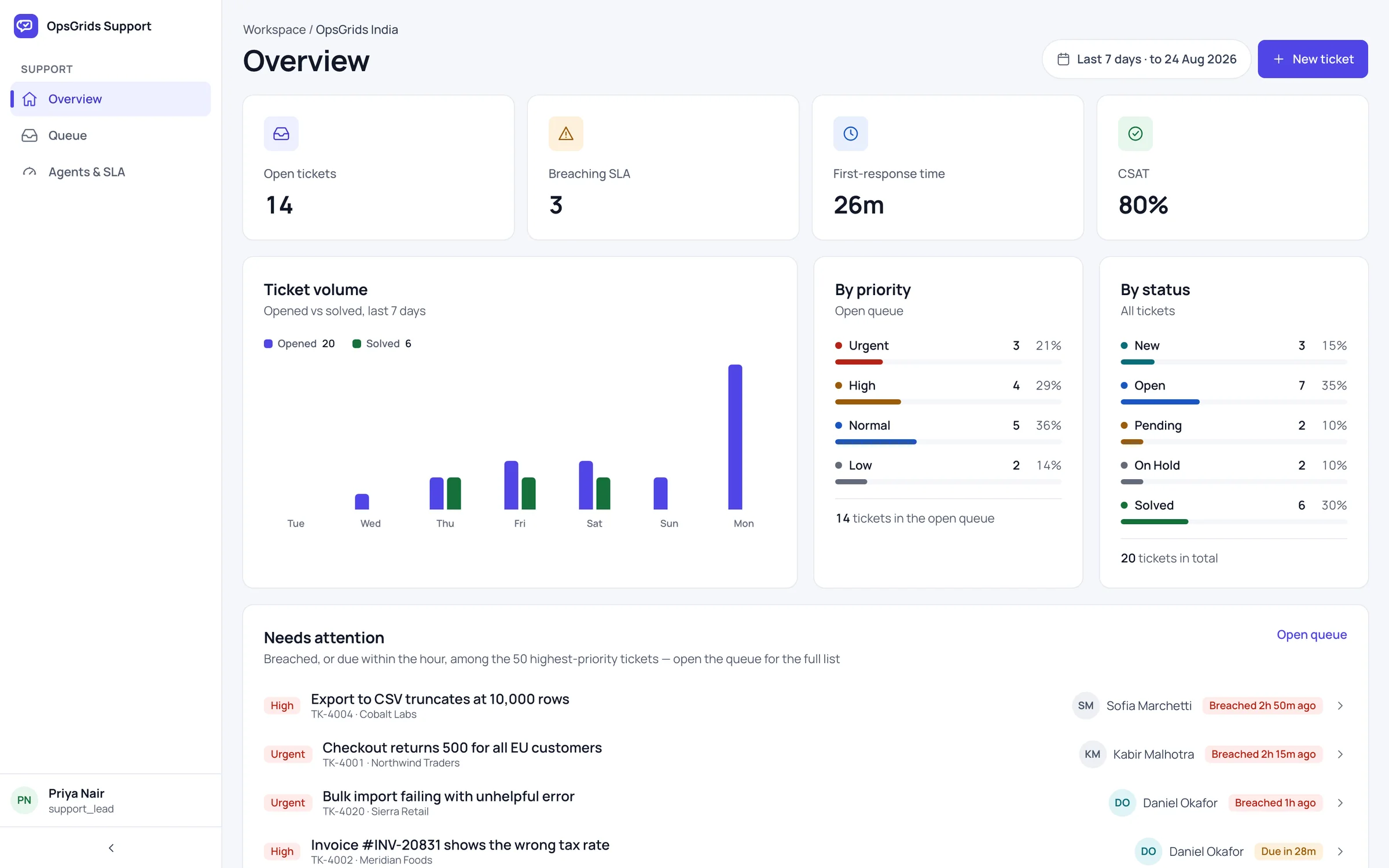
OpsGrids Support & IT puts two desks in one place: the helpdesk where problems are logged and answered, and the IT service desk where incidents, requests and company equipment are tracked. Both share the people and permissions of the rest of OpsGrids.
Who it is for
- A support lead whose team tracks issues in a shared sheet or a group chat, and who cannot say which ones are late.
- An operations or admin head who also runs internal IT: laptops, access requests and the occasional outage.
- A business that wants agreed response times written down and checked, not remembered.
What you can do with it
Tickets, replies and assignment
Every issue becomes a ticket with its replies kept on it, so the history stays with the problem. Each ticket is assigned to a person, which answers the commonest question on a busy desk: whose is this?
An agent roster
The roster lists the people who work tickets: who is on the desk and who a ticket can go to.
SLA policies
You define SLA policies, the response and resolution times your team commits to, and the overview measures tickets against them. "We reply quickly" becomes a target the team can see it meeting or missing.
Incidents with worklogs
An incident is something broken that affects people, such as an outage. Worklogs record what was tried and when, so a handover or review starts from facts.
Service requests and a service catalogue
Service requests cover routine asks: a new laptop, access to a system. The catalogue lists what can be requested, so staff pick a defined item instead of describing it from scratch.
An asset register
The asset register records the equipment and systems the business owns: one list to check when something needs replacing, reassigning or investigating.
How it fits a working week
- Monday: the lead opens the overview, sees which tickets are near or past their SLA, and reassigns where needed.
- Daily: agents reply on tickets, keeping threads on the record, not in personal chats.
- When something breaks: IT opens an incident and logs each step in the worklog.
- Routine asks: staff raise service requests from the catalogue; IT works them alongside tickets.
- Friday: the lead reviews what missed its SLA and why; IT checks the asset register.
Service levels you can measure
Start with a few policies, say one for urgent issues and one for everything else, with times your team can actually hold. Assign every ticket on arrival, because an unassigned ticket has no one to miss the target. Agree escalation as a team practice: when a ticket nears its limit, the lead reassigns it or steps in. The overview shows which tickets are at risk; the decision stays with people. See also one customer record across sales, support and finance.
Where it stops today
Support & IT is a desk for logging, assigning and measuring work. It is not a customer-messaging inbox: keep receiving customer messages through the channels you use today, and log each issue as a ticket. Customer records and deals live in OpsGrids CRM.
Questions buyers ask
Can customers email a ticket in? Not today. Tickets are created and worked inside OpsGrids; your existing channels keep doing the receiving.
Does it measure our response times? Yes. You set SLA policies, and the overview measures tickets against them.
Can it handle internal IT too? Yes. Incidents, service requests, the catalogue and the asset register cover the IT side.
Does a late ticket escalate automatically? Plan for escalation as a team practice: the overview shows which tickets are at risk, and the lead reassigns or steps in.
Who can see tickets? Access follows OpsGrids permissions, which carry a scope such as own, team, location or organisation.