
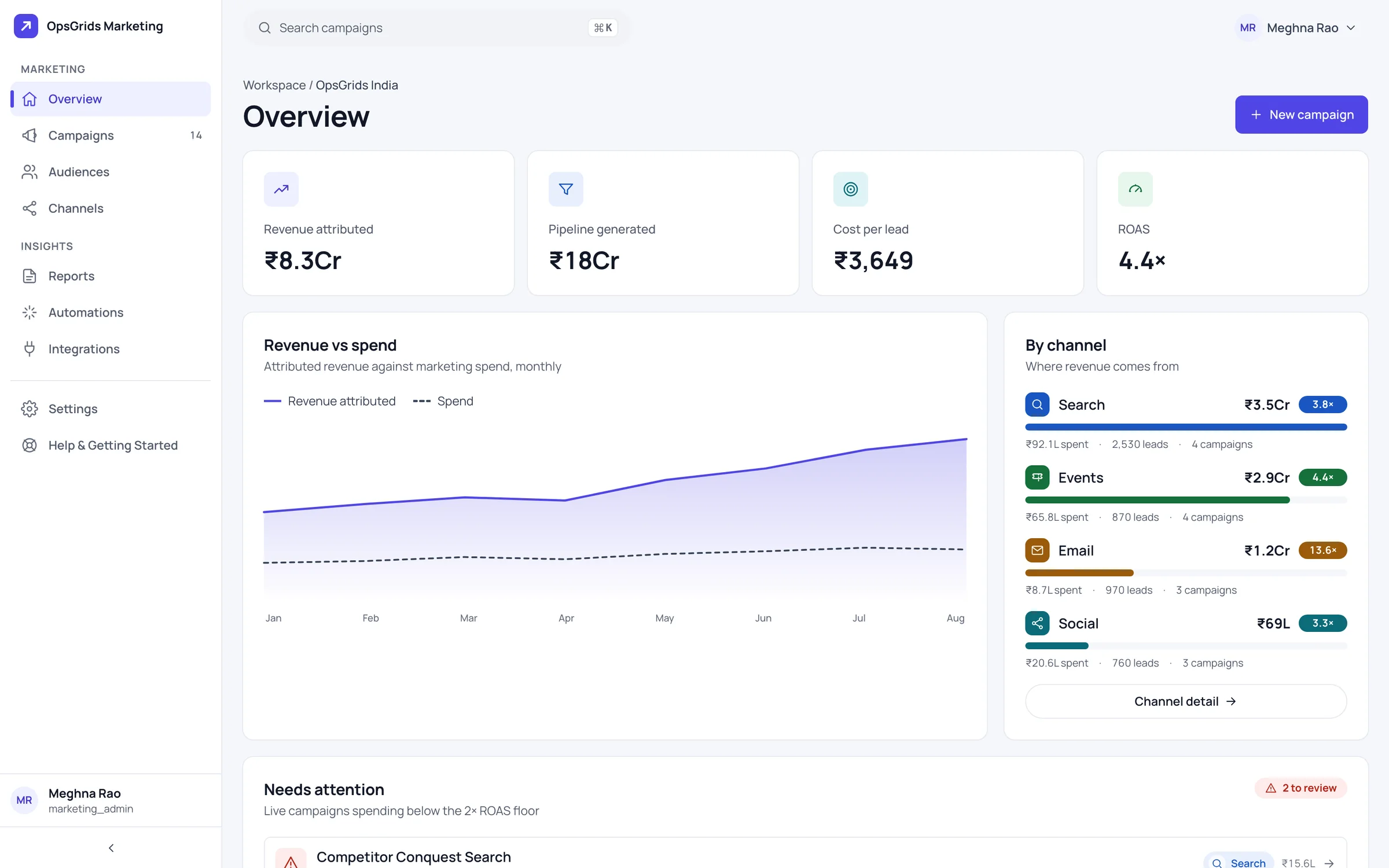
OpsGrids Marketing is where a business keeps track of its campaigns: what ran, for whom, on which channel, and whether the money came back. Its centre is a simple question asked of every campaign, revenue against spend, answered from figures your team records.
Who it is for
- A founder or marketing lead who runs campaigns across a few channels and tracks the results in a spreadsheet.
- A business that wants every campaign to answer "did this earn more than it cost?" before the next one is approved.
- A small team that needs one shared list of campaigns, audiences and channels instead of each person's own notes.
- A business already on OpsGrids that wants campaign records in the same organisation as the rest of its work.
What you can do with it
Campaigns and their performance
Each campaign is a record with its performance kept against it. A team can look back at what ran last quarter and how it did, instead of digging through old messages and files.
Audiences
Audiences describe who a campaign is aimed at. Recording them alongside campaigns makes it easier to see which groups have been targeted before.
Channels
Channels record where campaigns run. Each campaign then carries where it ran alongside who it was for, which is the context a review needs.
Revenue versus spend per campaign
Each campaign shows its revenue against its spend. It answers one question: did this campaign pay for itself?
How it fits a working week
| When | What the team does |
|---|---|
| Before a campaign | Create it, choose the audience and channel |
| While it runs | Keep its spend up to date |
| As sales come in | Enter the revenue the campaign brought in |
| Weekly review | Read revenue against spend per campaign and decide what to repeat |
Reading revenue against spend
Revenue versus spend is only as good as the revenue figure, and in OpsGrids Marketing that figure is entered by the merchant. So agree a rule before you start: which sales count towards a campaign (a discount code, a referral question, an enquiry date), who enters the figure, and how often. Apply the same rule to every campaign, or the comparison means little. Read the view as a decision aid: a campaign that clearly earned less than it cost is worth questioning, and one that did well is worth repeating with the same audience and channel. Treat close calls with caution, because a hand-entered figure carries some judgement.
Where it stops today
Attribution does not read from the storefront: revenue is a figure the merchant enters, not one the store reports. There is no send path in Marketing; messaging runs through Notification, which routes business events such as an invoice being finalised to people on WhatsApp or email (see automations). Plan to keep sending campaigns from the tools you use today and record them here. For event messages, our guides to WhatsApp automation and email automation for business events cover the rules.
Questions buyers ask
Can I send email or WhatsApp campaigns from Marketing? No. Marketing has no send path; keep your current sending tools.
Does revenue come in automatically from my store? Not yet. Attribution from storefront orders is designed, not built; revenue is entered by hand today.
What does revenue versus spend show? For each campaign, the revenue recorded against it next to what it cost.
Does it replace my ad platforms' own reports? No. It keeps campaign records and a revenue-versus-spend view; the platforms where campaigns run keep their own figures.
Who can see campaign figures? Access follows OpsGrids permissions, which carry a scope such as own, team, location or organisation.