
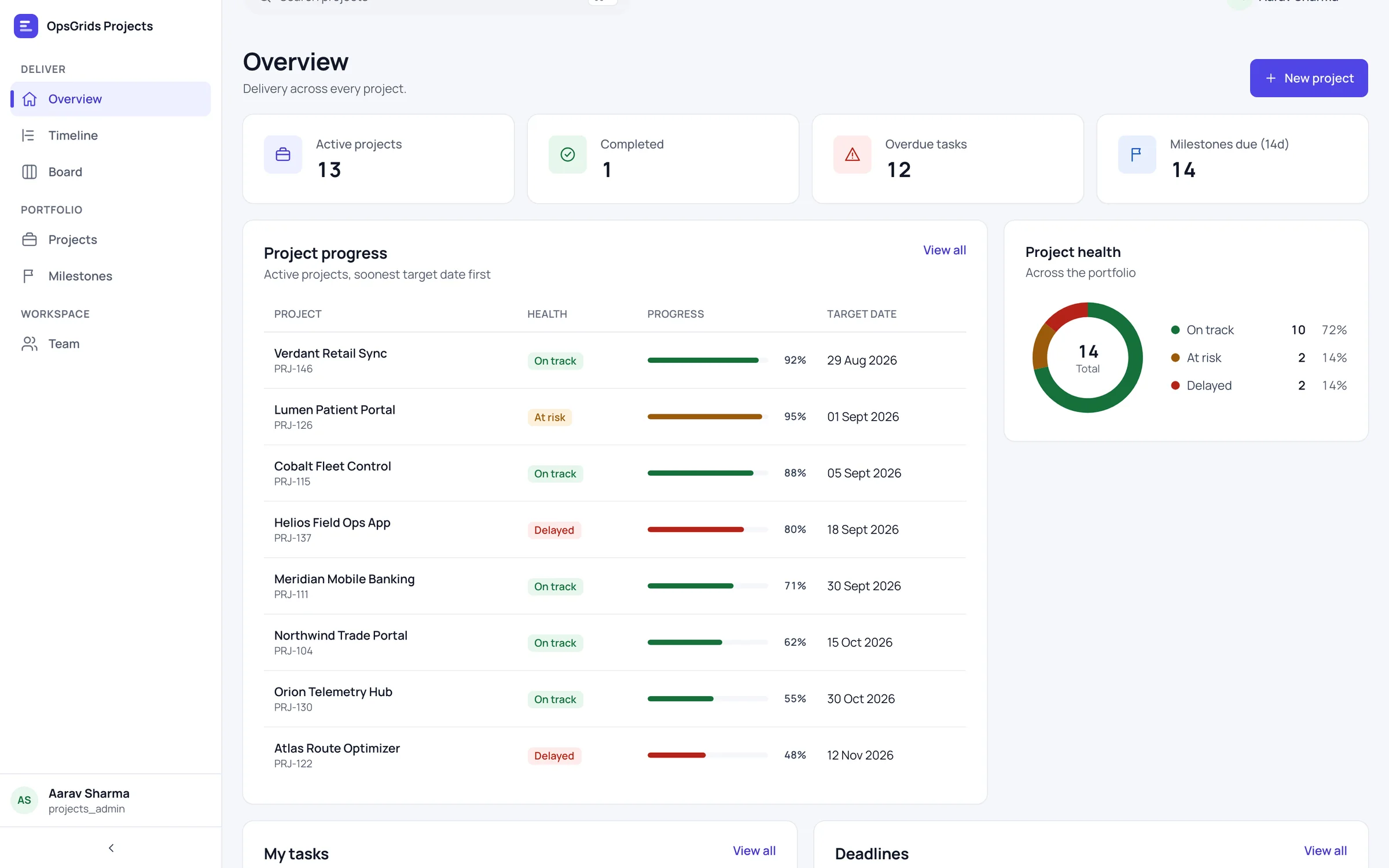
OpsGrids Projects keeps delivery work in one structure: projects, broken into milestones, broken into tasks. The same work can be read as a board, for what is moving today, or as a timeline, for what is due when. Nobody has to keep two trackers in step.
Who it is for
- A delivery or operations manager who tracks projects in a spreadsheet and a separate task app, and spends time reconciling them.
- A founder who wants to see which milestones are coming up without asking each team lead.
- A team that plans by dates but works day to day by status.
- A business already using other OpsGrids products that wants project work in the same organisation and permissions.
What you can do with it
Projects
A project is the container for a piece of work with an outcome: a client engagement, an office move, a product launch. Keeping each one as a record means its milestones and tasks stay together instead of scattered across chats and files.
Milestones
Milestones mark the points that matter inside a project, such as a handover, a review or a go-live. They give a manager something to plan against that is bigger than a single task and smaller than the whole project.
Tasks
Tasks are the units people actually do. Each belongs to a project, so there is always an answer to "what is this for?"
A board view and a timeline view
The board shows tasks by status, which suits a daily check of what is in progress and what is stuck. The timeline shows the same work laid out over dates, which suits planning and conversations about deadlines. Both read from one set of records.
How it fits a working week
| Day | View | What the team does |
|---|---|---|
| Monday | Timeline | Check which milestones fall this week and next |
| Daily | Board | Move tasks along and raise anything stuck |
| Midweek | Timeline | Talk through any date that looks at risk |
| Friday | Board | Review what finished and what carries over |
Board or timeline, same work
Teams often keep a board for the people doing the work and a dated plan for the people asking about it, and the two drift apart within a week. In OpsGrids Projects there is one set of projects, milestones and tasks, and the board and timeline are two ways of looking at it. Update a task on the board and the timeline reflects it, because nothing was copied. A manager can plan in the timeline on Monday; the team can work from the board all week; and both are looking at the same facts. If your projects currently live across several spreadsheets, our guide on moving from spreadsheets to one platform covers how to plan the switch.
Where it stops today
Projects covers planning and tracking: projects, milestones, tasks and the two views. Timesheets and daily standups live in OpsGrids PulseBoard, which suits services teams that need to record hours and check in each day. Plan to keep your current tools for task dependencies, resource levelling, budgets and time tracking, because Projects does not cover them.
Questions buyers ask
Is the timeline a Gantt chart with dependencies? It is a timeline view of the same projects, milestones and tasks. Do not plan on task dependencies or resource levelling.
Can we track time against tasks? Not in Projects. Timesheets are in PulseBoard.
Do the board and timeline need to be kept in sync? No. They are two views over one set of records.
Can we track project budgets? No. Projects does not cover budgets.
Who can see a project? Access follows OpsGrids permissions, which carry a scope such as own, team, location or organisation.